
 Image Credit: Taylor Fork Sunset by Pat Angland
How can we help you?
I WANT TOThe Future
Carrying on the values and traditions of the western way of life is the foundation of Stockman. We're neighbors helping neighbors. Our future will continue by prioritizing Montanans and working as hard as they do to protect their money.

Fight Fraud
Tips and resources to help you prevent, detect, and report fraud.

Find Insurance Protection
Choose the insurance protection needed for you or your business.
Insurance products are not FDIC insured, are not bank guaranteed, and may lose value.

Plan For Retirement
We are here to help you achieve your unique financial goals now & in the future.
Wealth Management products are not FDIC insured, are not bank guaranteed, and may lose value.

Apply For a Home Loan
Let us help you open the door to your new home.

Join Our Team
Work for a true Montana company. Join our team today and become a part of something much bigger than banking.

Share Your Photos
Share your Montana photos with us for a chance to be featured on our website, calendar or marketing materials.
Why System Updates Matter

What does it mean when Microsoft stops supporting Windows 10 later this year? These systems no longer receive security updates, technical support, or feature updates. In fact, Windows 7 hasn’t been supported since 2020 and Windows 8.1 since 2023.
It also means that your computer will still work, but it will be less secure. You could be vulnerable to viruses and hackers.
Most importantly, you may not be able to access the Stockman Bank website. If you see the “This site can’t be reached” message when searching for stockmanbank.com, you will need to update your laptop, tablet or phone.
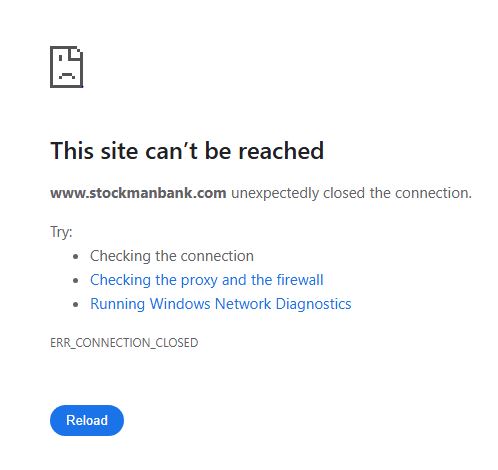
For best results, please look over our System Requirements page. We also recommend this pro tip: enable automatic updates so your device will stay current!
If technology is not your forté, we suggest that you work with a reliable business or person in your community who can assist you to upgrade and update your devices. Again, refer them to our System Requirements page. This is the best option for you to have up-to-date, and reliable access to safely use your desktop, laptop, phone, or tablet when you connect to the internet.